Back to all posts
    network-security11 min read

    Your Router Is More Valuable to Hackers Than You Think

    AG

    Adam Gross

    CEO & FounderJuly 16, 2026

    Originally Published: July 16, 2026 · Last Reviewed: July 16, 2026

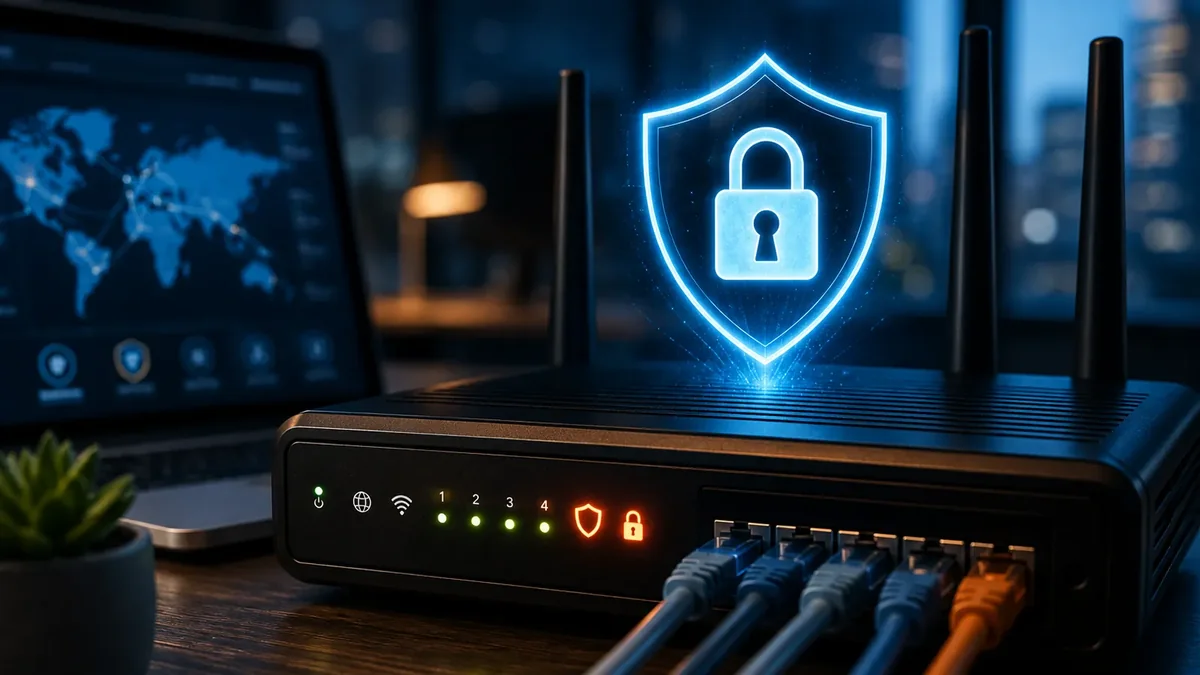
    A business router on a desk with a glowing blue shield and padlock icon, connected Ethernet cables, and a laptop showing a world map in the background.

    In mid-2026, CISA, the NSA, the FBI, and international partners published a joint advisory warning that Russian state-sponsored actors are actively exploiting vulnerable and poorly configured routers and networking devices. The advisory is a timely reminder of something that has been true for a long time: your router is one of the most valuable pieces of technology on your network, and attackers know it. For businesses and homeowners across New York and New Jersey, the practical question is not whether routers are being scanned, but whether the ones you rely on are configured, monitored, and maintained well enough to make attackers move on.

    Article Summary

    Attackers value the internet connection behind a router more than most business owners realize. Recent government advisories highlight how vulnerable and poorly configured routers are being used to conceal traffic, build proxy infrastructure, and pivot into internal networks. A typical consumer router and a properly managed business firewall are not the same product. Businesses and homeowners can significantly reduce risk with firmware updates, strong administrative controls, segmentation, monitoring, and expert support.

    Key Takeaways

    • Routers are high-value targets because they control every connection into and out of your network.
    • The recent CISA, NSA, and FBI advisory focused on vulnerable and poorly configured devices, not on every individual business or home.
    • A properly managed business firewall typically provides monitoring, logging, segmentation, and lifecycle support that consumer routers usually do not.
    • Most router compromises trace back to preventable configuration and maintenance mistakes, not to exotic attacks.
    • Layered security, including endpoint protection, MFA, monitoring, and managed IT support, is what makes router security actually hold up over time.

    Who This Guide Is For

    Written for
    • Small-business owners
    • Office managers
    • Internal IT administrators
    • Remote workers and home-office users
    • Homeowners concerned about network security

    Why Are Routers a Prime Target for Hackers?

    Every request that leaves your office or home passes through your router. That makes it the single most strategic device on the network. If an attacker controls the router, they can watch traffic, redirect it, or use the internet connection as anonymous infrastructure for other attacks.

    Two ideas explain most of the interest attackers have in routers. A botnet is a large group of compromised devices coordinated to do work for an attacker, such as scanning the internet or launching attacks. Proxy infrastructure is a chain of intermediate devices used to hide the true source of traffic. Routers on stable business and home internet connections are ideal building blocks for both.

    What Did CISA, NSA, and the FBI Actually Warn About?

    The joint advisory from CISA (AA26-194A) and the accompanying NSA release describe activity by Russian state-sponsored actors targeting vulnerable and poorly configured routers and networking devices. Ars Technica and other outlets brought broader public attention to the advisory, but the authoritative details come from the government sources themselves.

    According to the advisory, compromised routers are commonly used to:

    • conceal malicious traffic
    • build proxy infrastructure
    • launch attacks
    • steal credentials
    • gain access to internal networks
    • pivot toward higher-value targets

    Nothing in the advisory implies that every business or homeowner is being individually targeted. The practical takeaway is that outdated firmware, exposed management interfaces, and weak configurations are being actively looked for at scale.

    How Do Hackers Compromise Business Routers and Networks?

    A firewall is the security device or service that decides what network traffic is allowed in and out of your network. Most business routers include firewall functionality, and a dedicated business firewall provides more control and visibility. Attackers usually get past both by taking advantage of known weaknesses rather than by breaking anything clever.

    • Guessing or looking up default administrator credentials.
    • Reusing passwords that appear in credential-theft data.
    • Exploiting known vulnerabilities on devices missing firmware updates.
    • Reaching management interfaces that were left exposed to the public internet.
    • Phishing an employee, stealing credentials, and using those credentials to log in.
    • Taking advantage of unsupported hardware that no longer receives security fixes.

    What Are the Most Common Router Security Mistakes?

    Where the previous section covered attacker methods, these are the preventable configuration and management failures that make those methods work. Most compromises can be traced back to one or more of these:

    1. Leaving default administrator credentials in place.
    2. Reusing an administrator password from another account.
    3. Ignoring firmware and security updates.
    4. Leaving internet-facing remote administration enabled.
    5. Using unsupported or end-of-life hardware.
    6. Failing to separate guest and smart-home devices from trusted devices.
    7. Never reviewing logs, alerts, connected devices, or configuration changes.

    What Are the Warning Signs Your Router Has Been Compromised?

    1. Unfamiliar devices showing up on your network.
    2. Sudden or unexplained slowdowns across the office or home.
    3. DNS or admin settings that no longer match what you configured.
    4. Security features that turned themselves off or reset to defaults.
    5. Repeated reboots, crashes, or unusual instability.
    6. Alerts from your ISP about suspicious outbound traffic.
    7. Users being redirected to unexpected login pages or websites.

    Router Security Myths and Facts

    MythFact
    “My business is too small to attract hackers.”Many attacks are automated and scan large numbers of internet-connected devices without selecting each victim individually.
    “My antivirus protects the router.”Antivirus and endpoint protection primarily protect supported devices. They do not replace secure router configuration, firmware maintenance, or firewall management.
    “My ISP router is secure because it still works.”A functioning router may still be outdated, improperly configured, unsupported, or missing important security updates.
    “A business firewall makes the network completely secure.”A firewall is one layer. Security still depends on correct configuration, monitoring, patching, identity controls, endpoint protection, and user behavior.
    “Changing the Wi-Fi password is enough.”The Wi-Fi password and the router administrator password are separate controls, and both must be protected.

    Typical Consumer Router vs. Properly Managed Business Firewall

    The following comparison uses qualified language on purpose. Individual products vary, and the outcome always depends on configuration and management.

    CapabilityTypical Consumer RouterProperly Managed Business Firewall
    MonitoringOften limited to a basic app dashboard.Typically integrated with continuous monitoring and alerting.
    LoggingUsually minimal and short-lived.Detailed logs retained long enough for review and investigation.
    Firmware managementDepends on the owner remembering to update.Reviewed and applied on a defined schedule by an IT team.
    SegmentationOften just guest Wi-Fi.VLANs, per-network policies, and isolation between device groups.
    Support lifecycleSupport windows may be short or unclear.Vendors like Ubiquiti and similar publish support timelines used in planning.
    Threat visibilityLimited insight into blocked or suspicious traffic.Detailed views of connections, blocked events, and unusual patterns.
    Administrative controlsSingle admin account is common.Role-based access, MFA where supported, and change tracking.

    How to Secure a Business Router: A Practical Checklist

    Whether you handle IT internally or partner with a provider for managed IT services, these are the fundamentals every small business network should meet. IT Management Solutions supports businesses across New York and New Jersey with exactly this kind of work.

    1. Replace all default administrator credentials with unique, strong values.
    2. Turn on multi-factor authentication (MFA) for router and firewall management wherever supported. MFA requires a second proof of identity in addition to a password.
    3. Keep firmware current on a defined schedule and act quickly on security patches.
    4. Disable internet-facing remote administration unless it is truly required.
    5. Use network segmentation to separate guest Wi-Fi, IoT devices, and sensitive business systems. Segmentation limits how far an attacker can move if any one device is compromised.
    6. Deploy endpoint protection on the computers and mobile devices that connect through the router. Endpoint protection detects and blocks malicious activity on the device itself.
    7. Enable logging, retain logs for a useful period, and actually review alerts.
    8. Document what is connected, and reconcile that list on a regular cadence.
    9. Plan replacement for any device that no longer receives updates. See professionally managed network infrastructure for how this is typically handled.

    When Should You Replace Your Router or Firewall?

    There is no universal replacement age for network equipment. What matters more than the year on the label is whether the device still receives security support and whether it can still do the job. Consider replacement when:

    • The manufacturer no longer provides security updates.
    • The device has reached end of support or end of life.
    • Current firmware is several years out of date.
    • The hardware cannot support modern encryption or security settings.
    • The business has outgrown the device's capacity.
    • Reliable logging, segmentation, monitoring, or administrative controls are unavailable.
    • The equipment has become unstable or frequently reboots.
    • The organization is relying on consumer equipment for a business environment with increased security or compliance needs.

    For homeowners, the same principle applies to ISP-provided or personally owned routers. If the device is unsupported or no longer receives updates, it should be planned for replacement even if it still appears to work.

    Why a Secure Router Is Only One Layer of Protection

    A well-configured router protects the network edge. It cannot, by itself, protect a laptop from a malicious download, verify who is signing in to a Microsoft 365 mailbox, or notice a suspicious login attempt on a Google Workspace account. Effective security combines several layers that support each other.

    • Router and firewall protect the network edge.
    • Endpoint protection secures individual devices.
    • MFA protects identities and cloud accounts.
    • Monitoring detects and responds to suspicious activity.

    Concepts like Zero Trust, MDR, and identity protection each contribute additional depth, and disaster recovery planning helps a business recover if something does go wrong. All of them, however, work best when the network edge itself is in good shape.

    Reactive IT vs. Managed IT for Network Security

    PracticeReactive ITManaged IT
    Patch cadenceHandled when something breaks.Reviewed on a defined schedule.
    MonitoringLittle to none between incidents.Continuous, with alerting.
    Incident responseImprovised after the fact.Documented procedures and known contacts.
    Firmware lifecycleOften deferred until failure.Tracked against vendor support timelines.
    ReportingRare and informal.Periodic reviews and clear documentation.

    What Does This Mean for Homeowners?

    Attackers looking at home networks usually do not care who owns them. They care about what the router and the devices behind it can do for them. A home router with weak credentials, out-of-date firmware, or exposed remote management is just as useful as a small business router in the same condition.

    Common issues on home networks include:

    • Vulnerable internet-connected devices, from cameras to smart plugs.
    • ISP-provided routers that are rarely reviewed after install.
    • Outdated firmware on routers, extenders, and mesh nodes.
    • Weak or reused administrator and Wi-Fi passwords.
    • Remote management interfaces left exposed to the internet.
    • Insecure smart home devices sharing the same network as computers and phones.

    When a home router is compromised, attackers may:

    • Redirect DNS to send you to fake or malicious sites.
    • Monitor unencrypted traffic passing through the network.
    • Expose smart-home devices and computers to further attack.
    • Add the home connection to a proxy network used for other operations.

    How IT Management Home Secure Helps Protect Your Digital Home

    IT Management Home Secure is designed to bring the kind of proactive network care usually reserved for businesses into the home. It focuses on:

    • Professionally configured secure networking equipment.
    • Stronger router and firewall configuration.
    • Device protection for the computers and phones in the household.
    • Identity privacy protection to reduce exposure of personal information.
    • Guided setup so the network is right on day one.
    • Ongoing expert support when something changes or needs attention.
    • Proactive updates and management where included in the service.

    Home Secure does not promise complete immunity from every threat. What it does is significantly reduce risk through consistent, professional management of the parts of your digital home that attackers actually go after.

    Router Security Checklist

    Router Security Checklist
    • Change default administrator credentials
    • Use a unique administrator password
    • Enable MFA for management accounts when supported
    • Install current firmware
    • Disable internet-facing remote administration unless required
    • Review DNS settings
    • Separate guest and IoT devices
    • Review connected devices
    • Confirm logging and alerts are enabled
    • Replace unsupported equipment
    • Protect computers and mobile devices with endpoint security
    • Schedule a professional network security assessment when needed

    Frequently Asked Questions

    Why do hackers target small business routers?

    Small business routers often sit on stable, always-on internet connections and are less closely monitored than enterprise networks. Attackers value that reliable bandwidth and quiet oversight for building proxy infrastructure, hiding malicious traffic, and pivoting toward more valuable targets. Even a business with no obviously sensitive data can be useful to an attacker as a stepping stone.

    How do I know if my router has been hacked?

    Common warning signs include unexplained slowdowns, unfamiliar devices on your network, changed DNS or admin settings, disabled security features, repeated reboots, or alerts from your ISP about suspicious traffic. Any of these should trigger a review of the router configuration, firmware version, and connected devices. Because router compromises are often quiet, professional monitoring is usually the most reliable way to catch them early.

    Is a consumer router safe for a small business?

    A consumer router can work for very small offices in low-risk situations, but it typically lacks the logging, segmentation, threat visibility, and support lifecycle a business network needs. As a business grows or handles regulated data, a properly configured business firewall becomes a much better fit. The right choice depends on your data, compliance needs, and how much visibility you need into network activity.

    How often should router firmware be updated?

    Router and firewall firmware should be updated whenever the manufacturer releases a security fix, and routinely reviewed as part of a scheduled maintenance cycle. Businesses generally benefit from a monthly review at minimum, with critical patches applied sooner. Devices that no longer receive updates from the manufacturer should be planned for replacement.

    What is the difference between a firewall and antivirus?

    A firewall controls what traffic is allowed in and out of your network at the edge. Antivirus and endpoint protection focus on detecting and stopping malicious activity on individual devices. They protect different layers, so most businesses need both, along with monitoring, patching, and identity controls.

    Do I need managed IT services if I already have a firewall?

    A firewall is only as effective as the configuration, monitoring, and maintenance behind it. Managed IT services handle the ongoing work of tuning rules, applying firmware updates, reviewing logs, and responding to alerts. Without that follow-through, even a capable firewall can drift out of date and lose much of its value.

    Can hackers target a home router even if I have nothing valuable?

    Attackers often value the internet connection itself more than the homeowner. Compromised routers may be used to conceal attacks against other organizations or support larger cybercrime operations.

    Cybersecurity Is an Ongoing Process

    The most important thing to understand about router and network security is that it is never finished. Firmware changes, hardware ages, new vulnerabilities appear, and the way you use the network shifts over time. Businesses and homeowners that treat security as a project usually fall behind. The ones that treat it as an ongoing practice, with professional support behind it, are the ones that hold up. IT Management Solutions supports businesses and homeowners across New York and New Jersey with exactly that kind of continuous, proactive network security.

    For Businesses

    Get a clear picture of where your network stands and what to prioritize next.

    Schedule a Cybersecurity Consultation

    For Homeowners

    Bring proactive, professionally managed network care into your home.

    Explore IT Management Home Secure

    About the Author

    Adam Gross is the CEO and Founder of IT Management Solutions LLC. He works with businesses and homeowners throughout New York and New Jersey to design, deploy, secure, and manage networks, firewalls, endpoints, and connected technology.

    Read more on the About Adam Gross and IT Management Solutions page, or browse the full IT Management cybersecurity blog. You can also review the IT Management service areas we support.

    Recommended Next Reads

    About the Author

    AG

    Adam Gross

    CEO & Founder

    IT Management Solutions expert sharing insights on technology best practices for small businesses.

    Subscribe to Our IT Insights Newsletter

    Get the latest IT management tips, cybersecurity alerts, and technology trends delivered to your inbox monthly.