Your Internet Provider Gives You Internet. Who Is Protecting Everything Behind It?
Adam Gross
CEO & Founder • August 19, 2026
Originally Published: August 19, 2026 · Last Reviewed: August 19, 2026

Your internet provider's job is to connect your business to the internet. That does not automatically mean your business is protected from everything coming through that connection. Verizon, Spectrum, Optimum, Comcast and other providers may include some security features with their equipment, but an internet circuit and an ISP router are not the same thing as a professionally managed cybersecurity strategy.
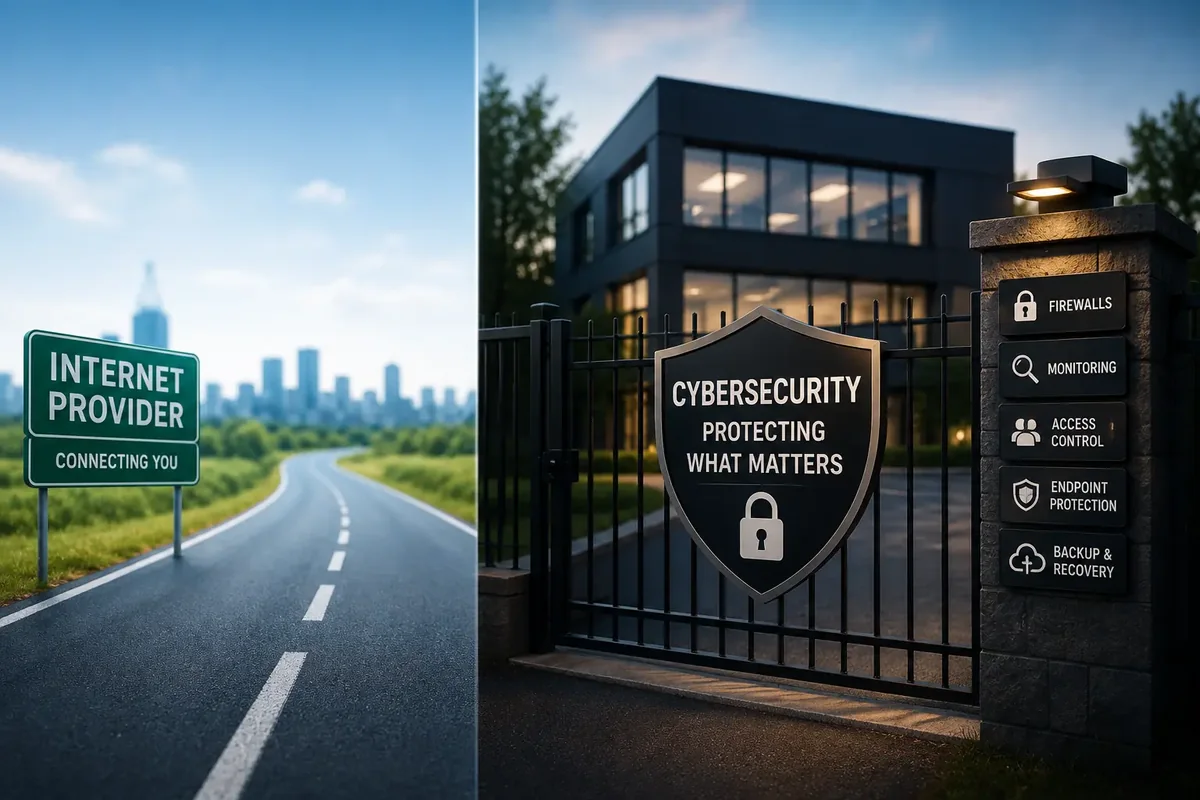
Here is the way I explain it to owners who are not technical. Your ISP builds the road to your building. Cybersecurity is the locks, the cameras, the access control and the monitoring around the building itself. Paying for a very good road does not lock your doors.
Your ISP and your IT provider have two different jobs
An internet provider sells bandwidth. They keep the circuit up, they replace a failed modem, and they give you a support number to call when the office goes dark. That is a real service and it matters. It is also where their responsibility ends.
An IT and security provider is responsible for what happens on the network behind that circuit. Who can connect. What each device is allowed to reach. Whether the firewall rules still make sense two years after someone opened them. Whether the laptops are patched. Whether anyone would notice a strange login at two in the morning. When we take on a business in New York, New Jersey, Pennsylvania or Florida, that is the work we are actually being hired for.
“But Verizon gave us a firewall.”
This is probably the most common objection I hear, and it is a fair one. Most ISP routers do have firewall functionality. The problem is that the word firewall is doing a lot of work in that sentence.
What you usually get is network address translation and a default block on unsolicited inbound traffic. What you usually do not get is any of the following:
- Firewall rules that are reviewed, documented and tightened over time
- Intrusion prevention and inspection of traffic that is already allowed
- DNS and web filtering that stops a click on a malicious link before it resolves
- Segmentation so a compromised camera or guest laptop cannot reach your accounting server
- Firmware patching on a schedule instead of whenever the device happens to reboot
- Logging that is retained, and alerting that reaches a human being
- An incident response plan for the day something does get through
A firewall is not a product you own. It is a control you manage. We go deeper on this in why your router is more valuable to hackers than you think.
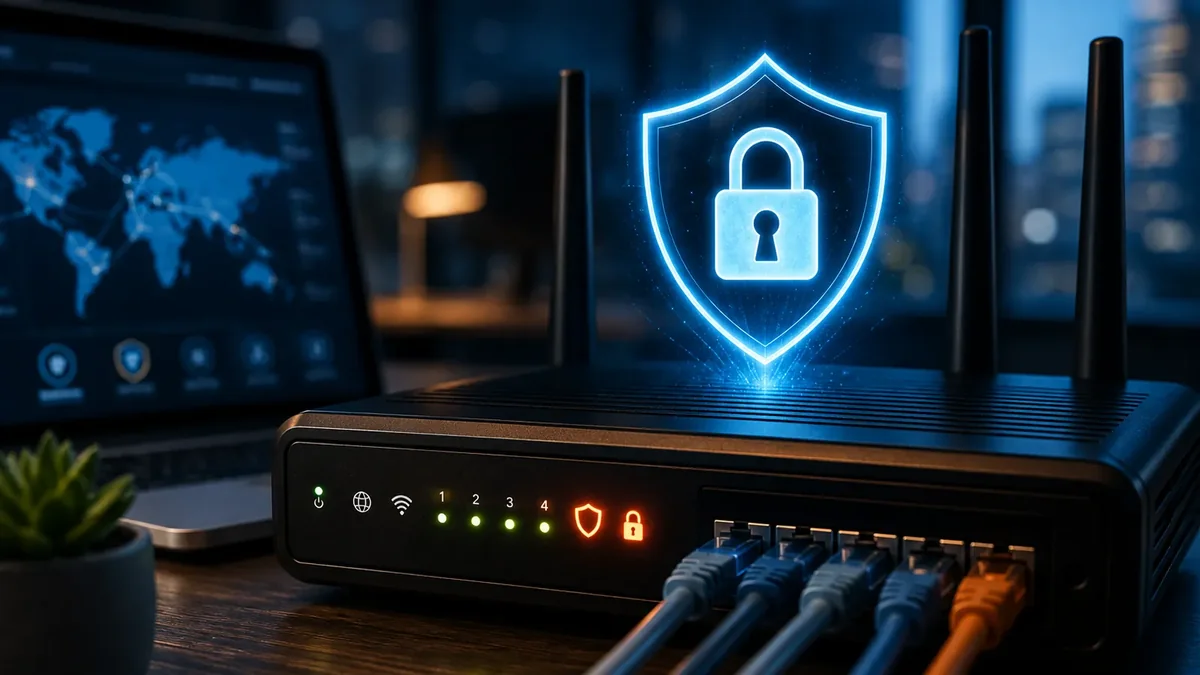
The router is now part of the cybersecurity perimeter
The device sitting between your business and the internet used to be treated as plumbing. It is not plumbing anymore. Microsoft has documented attackers actively compromising insecure home and small office routers, manipulating DNS traffic through them, and folding those devices into malicious infrastructure used to attack other targets. You can read their research on the Microsoft Security Blog.
Two things follow from that. First, a compromised router is not just your problem, because your connection can be used against someone else. Second, if an attacker controls DNS at the router, they can quietly send your staff to a fake login page that looks exactly right. No malware required, no warning on the screen.
Small office equipment is attractive precisely because it is rarely patched, rarely monitored and rarely owned by anyone in particular. That is the definition of a soft target.
What happens after someone gets past the router?
This is the part owners underestimate. The router is the front door, not the safe. Once someone is inside a flat network, here is what is sitting there:
- Employee computers and laptops, including the ones that go home at night
- Microsoft 365 and Google Workspace accounts, which hold your email and your files
- File shares and network storage where contracts and client records live
- Accounting systems, payroll and anything connected to your bank
- Customer information you are legally responsible for protecting
- Cameras and door access control, which are computers with a lens or a lock attached
- VoIP phones, which can be used for toll fraud or eavesdropping
- Printers and IoT devices that almost never get patched
- Remote access tools set up years ago by someone who no longer works there
- Backups, which are the first thing ransomware operators go looking for
Notice how quickly that list moves from network security to endpoint security to identity security. That is the real shape of the problem. Segmentation is what keeps one bad click from becoming a company-wide incident, and we walk through how to do it in our guide to network segmentation for small businesses. The same logic applies at home, which is why a hacked camera system is almost never just a camera problem.
What small business cybersecurity should actually include
Network
A professionally configured firewall with reviewed rules, secure Wi-Fi, VLANs that separate staff from guests and devices, DNS and web filtering, firmware updates on a schedule, and monitoring that produces an alert someone actually reads.
Endpoints
Managed endpoint protection on every computer and server, operating system and third party patching, and threat detection that catches behavior rather than only known file signatures.
Identity
Multi factor authentication everywhere it is supported, tightened Microsoft 365 or Google Workspace configuration, least privilege access, and monitoring for credentials that show up in a breach dump.
People
Phishing awareness that is ongoing rather than annual, and a written process for how your team verifies a suspicious payment request or password reset before acting on it.
Recovery
Backups that are isolated and tested by restoring them, plus an incident response plan that names who to call and what happens in the first hour.
On the identity side, CISA specifically recommends multi factor authentication for businesses and encourages phishing-resistant MFA where it is available. Their guidance is published at cisa.gov/MFA. If you do only one thing after reading this, turn on MFA everywhere and make sure nobody has an exception.
This is the model behind our network infrastructure, cybersecurity and managed IT services. You can see how the pieces fit together on our business IT hub.
“We only have 10 or 20 employees. Are hackers really targeting us?”
Yes, and the data is not subtle about it. Verizon's 2026 Data Breach Investigations Report covers 7,256 incidents and 7,152 confirmed data disclosures involving small and medium businesses. For those organizations, exploitation of vulnerabilities accounted for 26 percent of initial access, credential abuse 13 percent and phishing 9 percent. System intrusion, web application attacks and social engineering remain the dominant breach patterns. Verizon also notes that small organizations are disproportionately affected by ransomware and typically have fewer resources available to defend themselves. The full report is available from Verizon Business.
Most attacks are not personal. They are automated. Something scans the internet, finds an unpatched device or a password that leaked somewhere else, and tries the door. You do not need to be a large company to have valuable credentials, a bank account, customer data or systems worth extorting. A 15 person firm with a live payroll account is a perfectly good payday.
If you want a quick read on where you stand, our 60 second network security quiz will surface the obvious gaps in a couple of minutes.
Internet service is necessary. Managed security is a separate responsibility.
Nothing here is an argument against your provider. You need the connection, and the big carriers are generally good at delivering it. The mistake is assuming the line item on your internet bill covers the thing it was never sold to cover.
Connectivity is one job. Protecting the computers, accounts, data and people behind that connection is a different job, and somebody has to own it. Right now, in a lot of small businesses, nobody does.
Common questions
Does my internet provider protect my business from hackers?
No. Verizon, Spectrum, Optimum, Comcast and other providers deliver connectivity and usually supply a router with basic filtering. They do not manage your firewall policy, segment your network, patch your equipment, monitor your endpoints, secure your Microsoft 365 accounts, or respond when something goes wrong. Those are separate responsibilities that belong to you or to your IT provider.
Is the firewall in my ISP router enough for a small business?
For most businesses, no. The firewall built into an ISP router mainly performs network address translation and blocks unsolicited inbound traffic. It is not the same as a managed firewall with reviewed rules, DNS and web filtering, intrusion prevention, logging, segmentation between staff, guest and device networks, and someone actually reading the alerts.
Why would attackers target a business with only 10 or 20 employees?
Because size is not what makes a target valuable. Verizon reports that for small and medium businesses, exploitation of vulnerabilities accounted for 26 percent of initial access, credential abuse 13 percent and phishing 9 percent, and that small organizations are disproportionately affected by ransomware while having fewer resources to defend themselves. Your credentials, bank accounts, customer records and systems are worth money regardless of headcount.
What should small business cybersecurity actually include?
At minimum: a professionally configured and managed firewall, secure Wi-Fi with segmentation, DNS and web filtering, firmware and software patching, managed endpoint protection with monitoring and threat detection, multi factor authentication and access controls on every account, phishing awareness for staff, tested backups, and a written incident response plan.
Do we still need managed security if we already pay for business internet?
Yes. Business internet is a connectivity product. It gives you bandwidth, a static IP if you ask for it, and a support line for outages. Managed security is a separate service that protects the systems and people using that connection.
Connected, or actually protected? Let us find out.
If you are not sure whether your router, firewall, Wi-Fi and computers are being monitored and secured, or simply connected to the internet, we will review your environment and show you where the gaps are. No pressure and no jargon.
You can also read more about our cybersecurity services or managed IT services.
Adam Gross is the founder and CEO of IT Management Solutions, which provides managed IT and cybersecurity for small businesses across New York, New Jersey, Pennsylvania and Florida.
About the Author
Adam Gross
CEO & Founder
IT Management Solutions expert sharing insights on technology best practices for small businesses.