
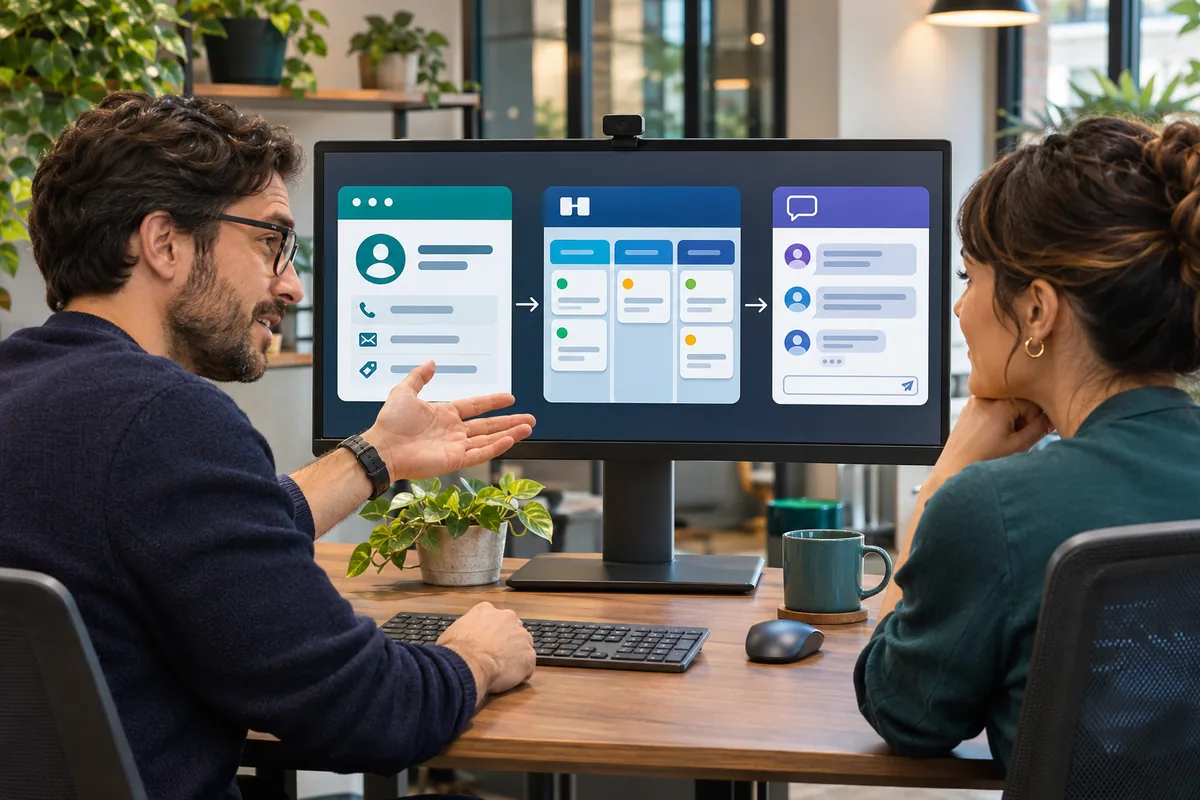
A deal is ready to start. Sales updates the CRM, then someone has to open the project board, copy the handoff, make a task list and tell the delivery team. The kickoff can stall while everyone assumes someone else is doing that work.
Yes, we can connect those tools. A status change in the CRM can start the handoff. OpenAI or Anthropic can help pull useful details from the sales notes into a draft. The project lead checks the draft, and the integration creates the agreed tasks and posts an internal update after approval.
What the project would connect
Imagine a small team using HubSpot for deals, Asana for projects and Teams for internal updates. The tools are examples. We’d check the accounts and access your team actually has before proposing the connection.
The CRM starts the handoff
Start when an approved deal reaches the agreed onboarding stage. Read its deal ID, owner, confirmed dates and relevant notes.
We draft the project tasks
Draft a kickoff task, an access checklist and any handoff items supported by the record. Show the project lead what is ready and where details are missing.
The team gets the approved update
After approval, post a short update to the right internal channel, with a link to the project and the owner of the next step.
Say the CRM lists a requested start date and the sales notes say the client has yet to confirm it. The draft should flag the conflict for the project lead. It should leave the due date open until that person confirms it. If the CRM sends the same event again, the integration should recognize the deal and avoid creating a second project.
Where OpenAI or Anthropic fits
The CRM provides the starting event. The project board and chat tools handle the approved updates. The AI can interpret free-text notes and propose a handoff in the format the delivery team expects. If the information is already in reliable fields, those fields can go straight through without asking AI to interpret them.
OpenAI’s function calling and Anthropic’s tool use let an application give a model defined tools. The integration we build still decides what each tool can read, when it can write and who has to approve the action. OpenAI function calling · Anthropic tool use
This is the kind of project we scope in our AI integration and automation work. We help choose an appropriate provider setup, connect the apps, test the handoff with the team and agree on who owns it after launch. In the first pilot, we’d keep the update internal and give the project lead control over the write. The same approach can connect a service request to a dispatch board or a customer kickoff to a project calendar. Each workflow needs its own access, approval and exception rules.
We’ve built a connected workflow in our own WorkhorseIQ private pilot. It brings incoming calls, job details, scheduling, dispatch availability and staff notifications together. The CRM handoff above is a separate project example.
What we would test before going live
I’d test a clean handoff, a missing owner, a repeated CRM event and a tool that’s temporarily unavailable. In each case, the team should be able to see what was created, what needs a decision and where to pick up manually. Then we’d compare the time spent on the old handoff with the new one, including review and corrections. The useful measure is whether the project starts with the right owner, tasks and details with less copying.
Bring one handoff to your AI discovery call
- Name the apps, the person who owns each one and the event that starts the work.
- Bring one redacted or synthetic record and an example of the task or update you want it to produce.
- Mark the fields the integration can copy, the details the AI can suggest and the actions a person must approve.
- Bring one common exception, such as a missing start date, a duplicate or an unavailable app.
- Estimate how often the handoff happens and what would count as a successful pilot.
Keep credentials and client records out of the booking notes. We can agree on a way to review representative samples during the call.