CONNECTED. PROTECTED. READY FOR WHAT’S NEXT.
From Incoming Call to Assigned Work: The WorkhorseIQ Pilot
A documented example of connecting calls, job details, scheduling and staff notifications. The operational pilot facts on this page were confirmed by Adam Gross in September 2026; participating businesses remain anonymous.
Connect the front office to the work
Trade businesses often move customer details between calls, calendars, dispatch notes and staff messages. WorkhorseIQ brings those tasks into one workflow, helping the team capture the request and coordinate what happens next.
Adam Gross confirms that the capabilities below are operational in the private pilot as of September 2026. This describes the pilot, not unrestricted product availability or measured revenue results.
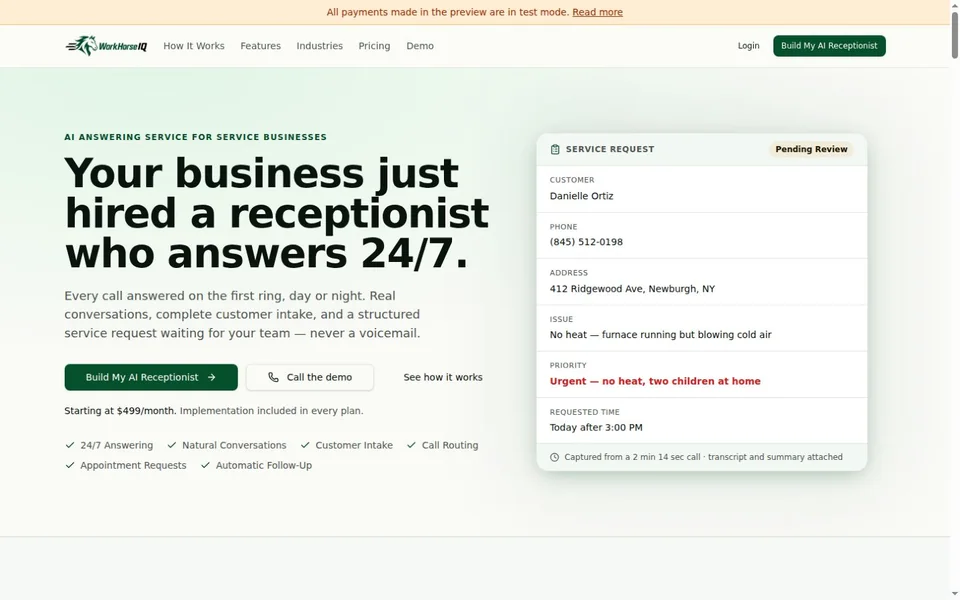
Working capabilities in the pilot
Calls and intake
AI-powered phone answering, customer and job capture, human call routing and browser-based calling.
Scheduling and dispatch
Calendar integration, appointment scheduling, technician and dispatcher availability, and on-call or after-hours routing.
Follow-through
Voicemail, call recording, live transcription, post-call summaries, customer/staff notifications, and automated usage and billing tracking.
A defined workflow, with people still involved
The intended workflow connects the incoming request to the company’s actual schedule and staff. Human routing remains part of the system. Each deployment needs agreed permissions, escalation rules, integrations and notification settings.
Recordings, transcripts and customer information need appropriate notice, access controls and retention settings for the business using the platform. These are implementation decisions, not defaults to overlook.
Map one repetitive handoff before automating it
The useful starting point is a task your team repeats, not a list of AI features. Use these questions to outline an intake or scheduling workflow with IT MGMT:
- Choose the trigger. Is the work started by a call, a submitted form or an update to an existing request?
- Define the minimum information. Identify the details the next person needs and the system that should hold the authoritative record.
- Name the owner and destination. Decide who reviews the request and whether it should go to a calendar, job record or human follow-up queue.
- Describe the exceptions. Plan what happens when information is missing, a connection fails or the request falls outside the agreed workflow.
- Keep the human handoff visible. Make it clear who can correct a record, take over a conversation or stop an automated action.
- Choose a measure before the trial. For example, count corrections or time spent re-entering details before and during a small trial. These are suggested measures, not results claimed for this pilot.
The same mapping exercise can be useful for other appointment-based businesses. It does not imply that WorkhorseIQ has been deployed in those industries or that every existing application supports the required connection.
What this demonstrates
The pilot is an example of the custom application and integration work IT MGMT can deliver. Its long-term goal is to reduce manual coordination and missed opportunities. We have not published a conversion uplift, cost-saving percentage or customer endorsement for this pilot.
Visit WorkhorseIQ · Explore workflow automation and custom AI development
LET’S BUILD WHAT’S NEXT
Your next chapter
starts with a conversation.
Tell us where you are. Let’s talk about where you want to go.